lazy-tmux
Session manager with scrollback restore. CLI that snapshots tmux sessions with runed processes and scrollback and restores them lazily and seamlessly when you select one.
Try lazy-tmux right now:
docker run -it --rm alchemmist/lazy-tmux:latest
Features
-
Save current session, or a specific session, or all sessions to disk
using
save. Snapshots preserve windows, panes, layouts, running shell commands and shell scrollback history for later restoration. -
Lazy restore only the session you pick with
restorecommand or interactively withpicker. You don't need to spend RAM for all sessions at startup – unlike tmux-resurrect which restores everything at once. - Interactive TUI session browser combining a deep tree view of sessions, windows, and panes with a table showing additional information: active command in each pane, last snapshot time, number of windows/panes per session, and session status (restored or not). Fuzzy search makes it lightning fast to locate any window or pane.
- Keyboard-driven picker that lets you search, navigate, and restore sessions without leaving tmux.
-
Flexible session and window sorting through
--session-sortand--window-sortflags. Sort by last-used, captured time, number of windows/panes, names, commands, or any combination. -
Use
--fzf-engineto replace the built-in TUI withfzf. Can be set at install time for a lighter binary; note that keyboard-driven session/window control is unavailable. - Autosave daemon mode periodically snapshots all sessions in the background, keeping session state safe across reboots. Only one autosave process runs at a time to avoid conflicts.
- Bootstrap restore at tmux startup allows restoring the latest or a specific session automatically, useful for automation after startup.
- Snapshot includes window and pane structure along with pane commands, enabling seamless reconstruction of your working environment. For example starting npm dev server, docker-compose, nvim, or any editor.
- Optional shell pane scrollback capture lets you save and replay previous output, preserving context for restored sessions.
Demo Preview
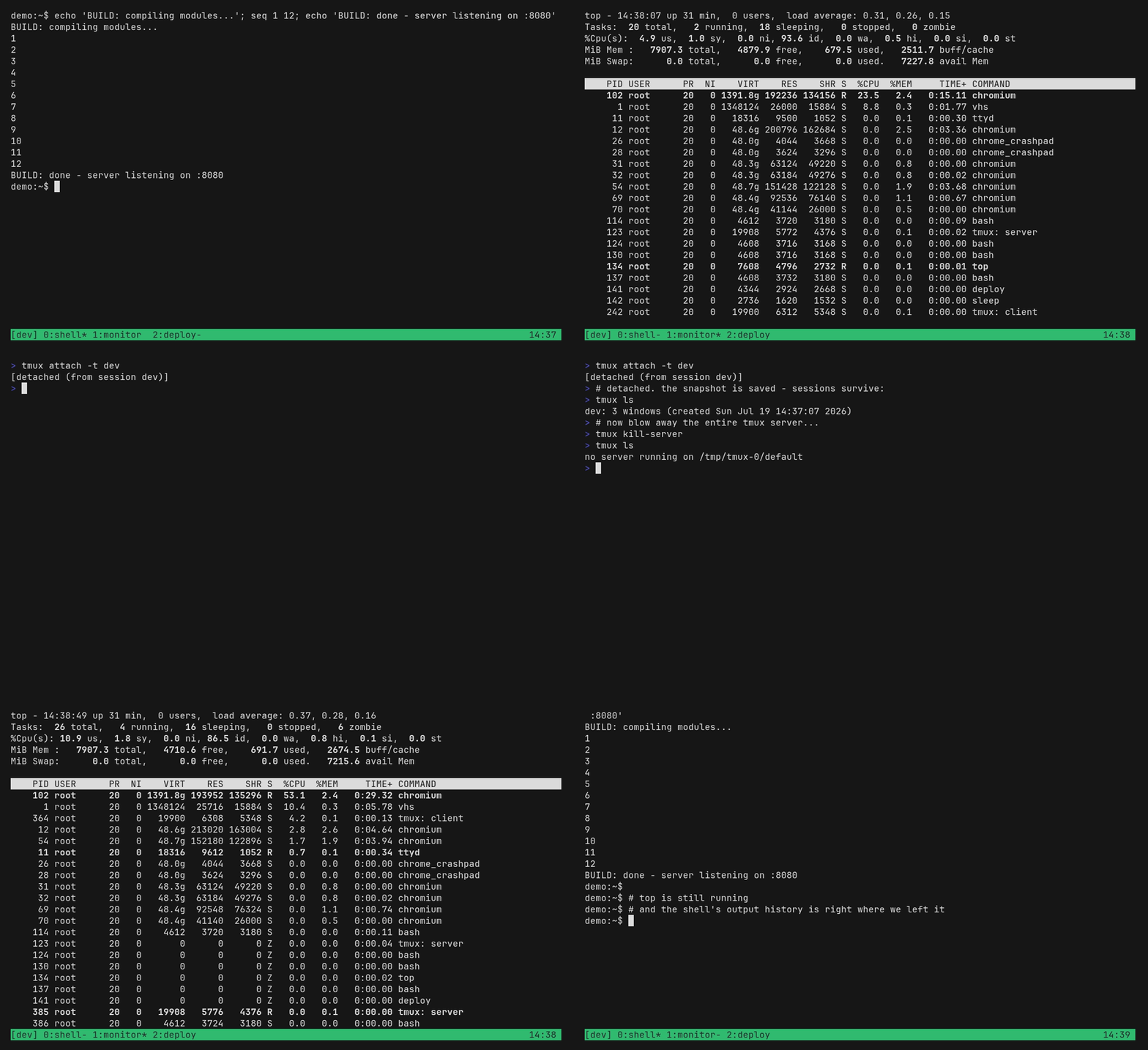
We create activity in a temporary tmux session, then stop the tmux server and restore the sessions with lazy-tmux. Logs are preserved, and a Python HTTP server that ran in another session is restarted. The TUI picker shows whether each session is restored, while still letting you attach as if it were already loaded.
Why?
Most tmux session tools either restore everything at once or stay shallow. lazy-tmux is built for real workflows: it restores only what you pick, keeps history, and gives you full control without leaving tmux.
- Lazy restoration: Only load what you need, keep memory and startup time low. No more waiting for all sessions to restore like with tmux-resurrect.
- Deep visibility: Tree + table view shows sessions, windows, panes, commands, timestamps, and restore state.
- Real control: Create, rename, delete, save, and restore from the picker with fast keyboard flow.
- Durable context: Optional scrollback capture keeps logs and output across restarts – something tmux-continuum lacks.
The result is a lightweight, tmux-native workflow that feels instant and predictable even across reboots. No bugs, no surprises.
Installation
⚠️ tmux version requirement
lazy-tmux requires tmux 3.6 or tmux 3.6a. Older versions may not work correctly.
Install with builtin powerful TUI picker:
curl -fsSL https://lazy-tmux.xyz/install.sh | sh
Install pure, no-deps, lightweight binary (fzf required):
curl -fsSL https://lazy-tmux.xyz/install.sh | sh -s -- --fzf-engine
Or use your package manager. Arch:
yay -S lazy-tmux
MacOS (Homebrew):
brew install alchemmist/tap/lazy-tmux
Quick tmux setup
Keep your tmux config clean with an include file:
lazy-tmux setup >> ~/.tmux.conf
This command puts some rules to the end of your tmux config. After reloading tmux config:
- You can call picker with
<prefix> + f -
You can save all sessions with 5000 lines of scrollback with
<prefix> + <C-s> - A daemon will run on your system, saving all sessions with 5000 lines of scrollback every 3 minutes.
Feel free to open your config and edit any parameters. For example you can configure picker popup size:
bind-key f display-popup -w 65% -h 75% -E 'lazy-tmux picker'
Or edit time interval:
run-shell -b 'lazy-tmux daemon --interval 5m --scrollback > /tmp/lazy-tmux.log 2>&1 || tmux display-message "lazy-tmux daemon already running"'
Or up scrollback lines limit:
run-shell -b 'lazy-tmux daemon --interval 3m --scrollback --scrollback-lines 8000 > /tmp/lazy-tmux.log 2>&1 || tmux display-message "lazy-tmux daemon already running"'
Or remap saving shortcut:
bind-key C-S run-shell 'lazy-tmux save --all --scrollback && tmux display-message "All sessions saved successfully!"'
CLI
| Command / Flag | Description |
|---|---|
save |
Save current or selected sessions to disk |
restore --session NAME |
Restore a single session from disk |
picker |
Open session picker and restore selected session (default: TUI) |
bootstrap [--session last|NAME] |
Restore one session automatically at tmux startup |
daemon [--interval DURATION] |
Periodically save all sessions in the background |
list |
List saved sessions |
wakeup --session NAME |
Restore a saved session (lazy load) that is not currently running |
sleep --session NAME [--scrollback] [--scrollback-lines N] |
Save session state (with optional scrollback) and close a running session |
--fzf-engine |
Use fzf backend instead of built-in TUI |
--session-sort EXPR |
Session sort (field[:asc|desc],...) fields: last-used, captured, name, windows, panes |
--window-sort EXPR |
Window sort (field[:asc|desc],...) fields: index, name, panes, cmd |
--scrollback |
Capture shell pane scrollback (opt-in) |
--scrollback-lines N |
Maximum captured lines per shell pane (default: 5000) |
Sorting examples
# Sort sessions by name, then by captured time (newest first)
lazy-tmux picker --session-sort "name:asc,captured:desc"
# Sort windows by pane count, then by name
lazy-tmux picker --window-sort "panes:desc,name:asc"
# Use same sorting with fzf backend
lazy-tmux picker --fzf-engine --session-sort "last-used:desc,name:asc"
Sorting behavior
Default directions (when :asc|:desc is omitted):
-
sessions:
name=asc, all other session fields =desc -
windows:
index=asc,name=asc, all other window fields =desc
Current defaults (if no sort flags are passed):
- sessions:
last-used:desc,captured:desc,name:asc - windows:
index:asc,name:asc
Validation behavior:
- unknown fields are rejected with an error.
-
invalid direction values are rejected (
ascanddesconly). - duplicate fields in one expression are rejected.
Scrollback capture
By default, scrollback capture is disabled. Enable it explicitly:
lazy-tmux save --all --scrollback --scrollback-lines 5000
lazy-tmux daemon --interval 5m --scrollback --scrollback-lines 5000
Behavior:
- captures tmux pane scrollback only for panes that currently run an interactive shell (no detected foreground app command).
- stores scrollback as sidecar files and references them from session snapshots.
- on restore, writes captured scrollback back into pane tty before command replay.
Storage layout:
~/.local/share/lazy-tmux/sessions/*.json-
~/.local/share/lazy-tmux/scrollback/<session>/*.log
Storage
Default directory:
~/.local/share/lazy-tmux/index.json~/.local/share/lazy-tmux/sessions/*.json~/.local/share/lazy-tmux/scrollback/*
Override via:
- env:
LAZY_TMUX_DATA_DIR - flag:
--data-dir
TUI picker
| Key | Action |
|---|---|
Type |
Fuzzy search sessions and windows. |
<C-j> |
Move down to the next selectable row. |
<C-k> |
Move up to the previous selectable row. |
Enter |
Restore the selected session or window. |
Esc, <C-c>,
<C-q>
|
Cancel and close the picker. |
<C-d> |
Delete window under cursor. |
<Alt-d> |
Delete session that have window under cursor. Confirming via typing "y" |
<C-r> |
Rename window under cursor. |
<Alt-r> |
Rename session that have window under cursor |
<C-n> |
Create new window in session under cursor. Enter window name. |
<Alt-n> |
Create new session. Enter session name. |
<Alt-w> |
Wakeup: Restore a saved session that is not currently running. |
<Alt-s> |
Sleep: Save session state and close a running session. |
Philosophy
lazy-tmux is built around a simple but powerful idea: save resources and free the user from unnecessary overhead. Each session is restored only when it's actually needed, and all processes start seamlessly, without pauses or conflicts.
Everything is written in Go for lightning-fast execution. This is not a wrapper or a "combo" over tmux — it's a tool that fits perfectly into its ecosystem. No extra configuration, no duplicated responsibilities, no system bloat. Just a fast, reliable, and predictable way to manage sessions.
The focus is on allowing users to work naturally with tmux while lazy-tmux quietly handles session snapshots and restoration in the background, preserving context and performance without getting in the way.